















You might already realize that modern hydration tech has moved far beyond the plastic two-tap cooler.
But do you know what actually separates a premium appliance from a generic unit?
It isn’t just the filter; it’s the Smart User Interface Engineering.
As manufacturing experts, we know that condensing instant heating algorithms, real-time TDS monitoring, and RO filtration into a single tabletop unit is a massive technical challenge.
The secret lies in the Human-Machine Interface (HMI) design.
It is the central nervous system that translates complex internal logic into a seamless user-centric appliance navigation experience.
In this analysis, we are going behind the glass to reveal how capacitive touch control panels and digital feedback loops are redefining the industry standard.
Let’s get technical.
The Logic of “Invisible” Complexity
When we approach Smart User Interface Engineering for Multi-Function Countertop RO Dispensers, our primary engineering goal is to hide the mechanical chaos behind a sleek glass panel. Inside units like our “Spark” or “G” series, there are high-pressure pumps, 4-stage filtration systems, and rapid heating elements working simultaneously. However, the user should never feel the weight of this complexity. We design the Human-Machine Interface (HMI) to act as a seamless bridge, translating sophisticated 0.0001-micron filtration processes into a simple “press and drink” interaction.
Simplifying Multi-Functionality: The One-Touch Experience
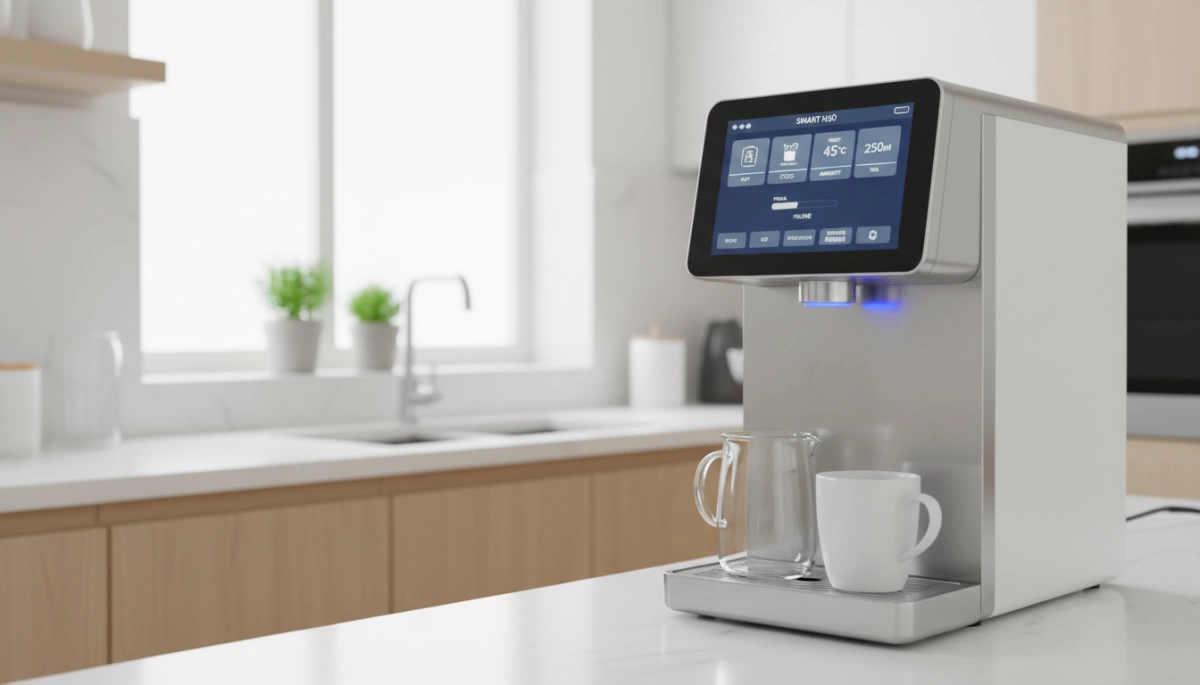
The challenge with modern RO systems is managing feature bloat without cluttering the control panel. We utilize capacitive touch control panels to streamline the user journey. Instead of forcing users to navigate deep menus to switch between cooling and heating, we engineer the UI for flat navigation.
- Direct Access Logic: We map critical functions—like specific temperature presets (Milk at 45°C, Coffee at 85°C)—to dedicated touch points.
- Volume Precision: Users can toggle between 150ml, 300ml, or continuous flow with a single tap, eliminating the need to “watch” the cup.
- Instant Response: The UI is calibrated to trigger the instant heating algorithm immediately upon contact, ensuring the 3-second heat-up promise is met without digital lag.
Visual Hierarchy Engineering: Prioritizing TDS and Temperature Data
In visual hierarchy in display engineering, not all data points are created equal. We know that for a countertop RO user, trust is the most valuable metric. Therefore, we prioritize the Real-time TDS monitoring system at the visual center of the interface.
Our Display Priority Matrix:
- Critical Data (Center/Bold): Output Water TDS (Purity Level) and Selected Temperature.
- Contextual Data (Peripheral): Input Water TDS (to show filtration efficiency) and Selected Volume.
- Maintenance Data (Background/Icon): Filter life status and UV sterilization indicators.
This structure ensures that the user confirms water quality before they even dispense a drop, reinforcing the reliability of the filtration hardware.
The “Wake-Up” Protocol: Sensor Technology and Energy Efficiency
A truly smart interface manages power as effectively as it manages water. We integrate user-centric appliance navigation protocols that allow the display to enter a low-power “sleep mode” when the unit is idle. This isn’t just about saving electricity; it prevents the machine from becoming a source of light pollution in a dark kitchen.
- Touch-to-Wake: The capacitive sensors are tuned to detect the lightest touch, instantly illuminating the panel and waking the heating elements from standby.
- Auto-Dimming: After dispensing, the interface fades out, signaling that the system has returned to a safe, idle state.
Engineering Trust: Real-Time Data Visualization
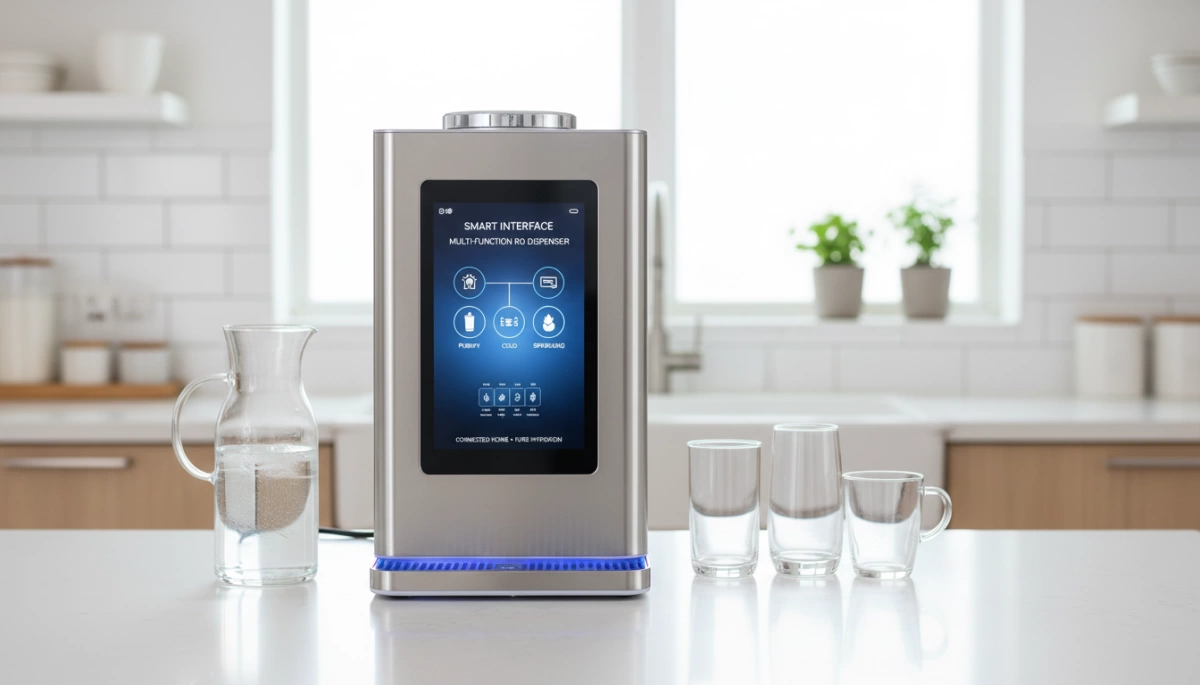
When we design a smart user interface engineering for multi-function countertop RO dispenser, the primary goal is eliminating the “black box” effect. Users in the US market need to know their appliance is working without opening it up. We build trust by visualizing invisible processes directly on the interface.
TDS Monitoring Integration: PCB and Sensor Communication
The heart of user confidence lies in the real-time TDS monitoring system. We don’t just slap a sensor on the tank; we engineer deep PCB integration for water dispensers. The main board constantly polls conductivity sensors located at both the inlet and outlet.
This creates a continuous digital feedback loop. The screen displays the Total Dissolved Solids (TDS) reduction instantly, proving the filtration is effective. For users who want to verify these readings independently, understanding how to use a TDS tester reinforces why having this data integrated directly into the machine’s UI is a massive convenience.
Intelligent Filter Tracking: Flow-Based Algorithms vs. Timers
Nobody likes guessing when to change a filter. Old systems used simple timers that demanded a change every six months, regardless of whether you filtered 10 gallons or 1,000. That is wasteful and inaccurate.
We utilize advanced filter life tracking algorithms rooted in smart water filtration logic.
- Timer-Based (Obsolete): Counts days; often results in premature waste or overuse.
- Flow-Based (Smart): Measures the exact volume of water processed.
This ensures you utilize the full capacity of the filter media. The Human-Machine Interface (HMI) design translates this data into a simple percentage or status bar, so you know exactly where you stand.
Facilitating Maintenance: User-Friendly Twist-and-Pull Alerts
Countertop RO system usability extends beyond the touch screen. When the algorithm determines a filter is spent, the visual hierarchy in display engineering shifts to prioritize the alert.
We design the UI to guide the physical interaction. The screen prompts the user, and the hardware supports a tool-free experience.
- Visual Alert: Clear icon flashing (no obscure codes).
- Physical Action: Simple twist-and-pull mechanism.
- Auto-Reset: The system detects the new RFID tag on the filter and resets the tracking automatically.
This seamless integration of software alerts and hardware simplicity defines modern user-centric appliance navigation.
Precision Control: The Haptics of Heat
Temperature Preset Logic: Instant Heating Algorithms
We don’t just slap a “hot” button on the machine and hope for the best. The core of Smart User Interface Engineering for Multi-Function Countertop RO Dispensers lies in the backend logic that manages thermal energy. When you select a specific mode—whether it’s “Milk” at 45°C or “Coffee” at 85°C—the system engages a sophisticated instant heating algorithm.
This logic calculates the exact power required to heat the water as it passes through the rare earth thick film heater. Unlike a standard kettle that boils everything, our interface communicates with the heating element to hit the target temperature within a 3-second window. This ensures that the precision temperature presets are accurate every single time, protecting the nutrients in baby formula or extracting the perfect flavor from tea leaves.
Zero Latency Switching: Room Temp to Boiling in Seconds
In the US market, speed is a non-negotiable factor. Our engineering focus is on eliminating the wait time between different water types. You can switch from ambient room temperature water to 95°C boiling water almost instantly. The UI manages this thermal transition with zero latency, utilizing a digital feedback loop to monitor the output temperature in real-time.
- 3-Second Rapid Heating: No pre-heating required; energy is only used when dispensing.
- Seamless Transition: The system flushes residual temperature instantly to prevent lukewarm delivery when switching modes.
- Energy Efficiency: By heating only what you need, we avoid the energy waste typical of traditional boilers.
Volume Accuracy: Digital Rotary and Touch-Slider Mechanisms
Precision isn’t limited to heat; it extends to how much water lands in your cup. While a manual water pitcher filter system relies on gravity and guesswork, our countertop RO units utilize flow meters integrated directly into the UI controls.
We implement user-centric appliance navigation that allows for exact volume selection—typically 150ml, 300ml, or 500ml. Whether using a capacitive touch panel or a digital rotary dial, the interface sends a cutoff signal to the pump the moment the target volume is reached. This hands-free automation means you can press a button and walk away without worrying about overflows, a critical feature for busy modern kitchens.
Safety Protocols Embedded in UI Design
When we engineer a smart user interface engineering for multi-function countertop RO dispensers, safety isn’t just a feature—it’s the foundation of the code. We are dealing with instant boiling water right on the kitchen counter, so the interface acts as the primary firewall between convenience and potential injury. We don’t leave safety to chance; we bake it into the logic of the PCB.
The Digital Child Lock: Logic and Auto-Engagement
In busy households, you can’t always remember to hit a “lock” button after grabbing a cup of tea. That is why we utilize child-lock safety protocols with auto-engagement logic. If the reverse osmosis water filter countertop unit remains idle for a set period—usually 30 to 60 seconds—the system automatically locks the dispensing functions. This passive safety measure ensures that a curious toddler climbing on a chair can’t accidentally trigger the flow.
Preventing Accidental Burns: Long-Press Unlock Features
We design friction into the Human-Machine Interface (HMI) design intentionally. You don’t want a capacitive touch panel that is too responsive to a stray elbow or a wet sleeve. To dispense water above 100°F, the UI requires a specific “handshake”:
- Step 1: The user must press and hold the lock icon (Long-Press) for 3 seconds.
- Step 2: The panel unlocks, accompanied by a visual change (LED color shift) or haptic buzz.
- Step 3: The hot water button becomes active.
This digital feedback loop confirms that the user actually intends to dispense hot water, eliminating accidental burns.
Error Code Communication: Diagnosing Internal Issues (E1, E2)
A smart interface shouldn’t just go blank when something goes wrong. We program user-centric appliance navigation to communicate internal health instantly. Instead of guessing why the water stopped, the digital display provides specific alphanumeric codes. This allows for immediate troubleshooting without needing a technician for simple fixes.
Common UI Error Code Logic:
| Error Code | Potential Issue | User Action |
|---|---|---|
| E1 | Feed water shortage | Check if the tap is open or the tank is empty. |
| E2 | Internal leak detected | System auto-shuts off; check base for water. |
| E3 | Temperature sensor fault | Restart the unit; if persistent, contact support. |
| E4 | Pump overload/failure | Unplug and let the system cool down. |
Durability Engineering: Surviving the Kitchen Environment
When we design Smart User Interface Engineering for Multi-Function Countertop RO Dispensers, we aren’t just thinking about software; we are thinking about the harsh reality of the American kitchen. These devices sit right next to sinks, stovetops, and coffee makers—zones prone to steam, splashes, and heat. A standard tablet screen wouldn’t last a week here, which is why UI durability engineering RO purifier standards are critical for longevity.
Waterproofing and Heat Resistance
The interface on our “Spark” and “G” series isn’t just a display; it’s a shield. We utilize moisture-resistant UI components designed to handle the humidity generated by the 3-second instant heating process. Whether you are boiling water for tea or dispensing cold water, the internal electronics are sealed against condensation. This is vital because unlike a water filter from the sink that hides in a cabinet, these units face daily environmental exposure.
Thermal Insulation: Protecting Electronics
Rapid heating generates immediate thermal spikes. To protect the sensitive logic boards, we implement rigorous thermal isolation:
- Heat Shielding: Physical barriers separate the heating element from the PCB integration for water dispensers.
- Ventilation Logic: The design dissipates heat away from the touch panel, ensuring the screen remains cool to the touch even when dispensing 203°F (95°C) water.
Touch Sensitivity Calibration
We know your hands aren’t always dry when you’re cooking. A standard touchscreen often fails when introduced to water droplets, but our capacitive touch control panel is calibrated for “wet finger” interaction. We fine-tune the sensitivity to distinguish between a deliberate press and a random splash, ensuring that the user interaction design smart RO purifier remains responsive and frustration-free during actual kitchen use.
The Driplife Advantage: Commercial Application and Customization
At Driplife, we understand that for our B2B partners, the interface is the brand. Our approach to Smart User Interface Engineering for Multi-Function Countertop RO Dispensers goes beyond standard off-the-shelf templates. We offer deep OEM/ODM customization, allowing businesses to tailor the HMI design to their specific market needs. Whether it is modifying the digital feedback loop or adjusting the sensitivity of the capacitive touch control panel, we engineer solutions that align strictly with your brand identity.
OEM/ODM Capabilities: Custom UI Modules and Branded Boot Screens
We provide extensive flexibility in the “brain” of the appliance. Our engineering team works on PCB integration for water dispensers to support unique functions that set your product apart in the US market:
- Custom Boot Screens: We can program the display to show your brand logo immediately upon startup, reinforcing brand ownership every time the machine wakes up.
- Tailored UI Logic: We adjust volume presets or temperature limits to suit local preferences, ensuring the smart water filtration logic matches user expectations.
- Interface Layouts: We modify the visual hierarchy in display engineering to prioritize the data your customers care about most, such as TDS levels or heating status.
For a deeper dive into how specific display choices impact user experience, you can look at our work on customizing the filter life indicator, which highlights the technical differences between simple LED alerts and complex digital readouts.
Aesthetics Meets Function: Integrating Industrial Capability with Modern Design
We bridge the gap between heavy-duty industrial performance and sleek, modern kitchen aesthetics. Countertop RO system usability relies on components that look premium but can survive daily wear and tear. We combine moisture-resistant UI components with high-gloss, scratch-resistant materials. This ensures that the complex internal algorithms are accessible through a panel that feels as high-end as a smartphone, maintaining industrial durability without sacrificing the clean style American kitchens demand.
Frequently Asked Questions About Smart RO Dispenser Interfaces
How does the real-time TDS monitoring system work?
We engineer the real-time TDS monitoring system using dual conductivity probes connected directly to the main PCB. One probe measures the raw tap water entering the unit, while the second measures the purified water post-filtration. The system calculates the difference instantly, displaying the Total Dissolved Solids (TDS) value on the screen. This creates a transparent digital feedback loop, proving to the user that the RO membrane is actually doing its job.
Can the touch panel withstand high humidity and steam?
Absolutely. A capacitive touch control panel in a kitchen environment is useless if it fails near steam. We use moisture-resistant UI components and seal the electronics to meet specific IP (Ingress Protection) ratings. The touch sensitivity is calibrated to ignore false inputs from steam or water droplets while remaining responsive to a wet finger. We treat the interface as a high-traffic zone that needs to survive constant exposure to heat and moisture.
What happens if the digital display shows an error code?
When the interface flashes a code like E1 or E2, the system has triggered a safety protocol to prevent damage, such as stopping the heating element if the tank is empty. These aren’t random glitches; they are specific diagnostic tools. While the manual provides a quick reference, understanding error codes on digital displays helps users identify whether it’s a simple sensor issue or a flow restriction, often allowing for a quick fix without needing a service call.
Is the child-lock feature customizable on smart RO systems?
For standard retail units, the child-lock is usually hard-coded to auto-engage after a few seconds of inactivity to meet safety certifications. However, for our B2B partners, we can adjust these child-lock safety protocols via firmware updates. This allows for customization of the “wake-up” sequence or the duration before the lock re-engages, giving brands flexibility in how they balance safety with convenience.